
Moving to a New Device? Here’s How to Bring Your Camera Apps Along
Ця стаття ще недоступна українською, тому її показано англійською.
Upgrading to a new iPhone? No worries—your Camera Apps can come along for the ride!
Just make sure you’re using the same Apple ID and follow these steps:
- Log in to your Apple ID. Here’s how.
- Check your purchase history to make sure your app(s) is/are linked to your account.
- Open the App Store and search for the Camera App you want to bring along.
- Tap the cloud icon to download it. (No cloud? That means this Apple ID hasn’t purchased it yet.)
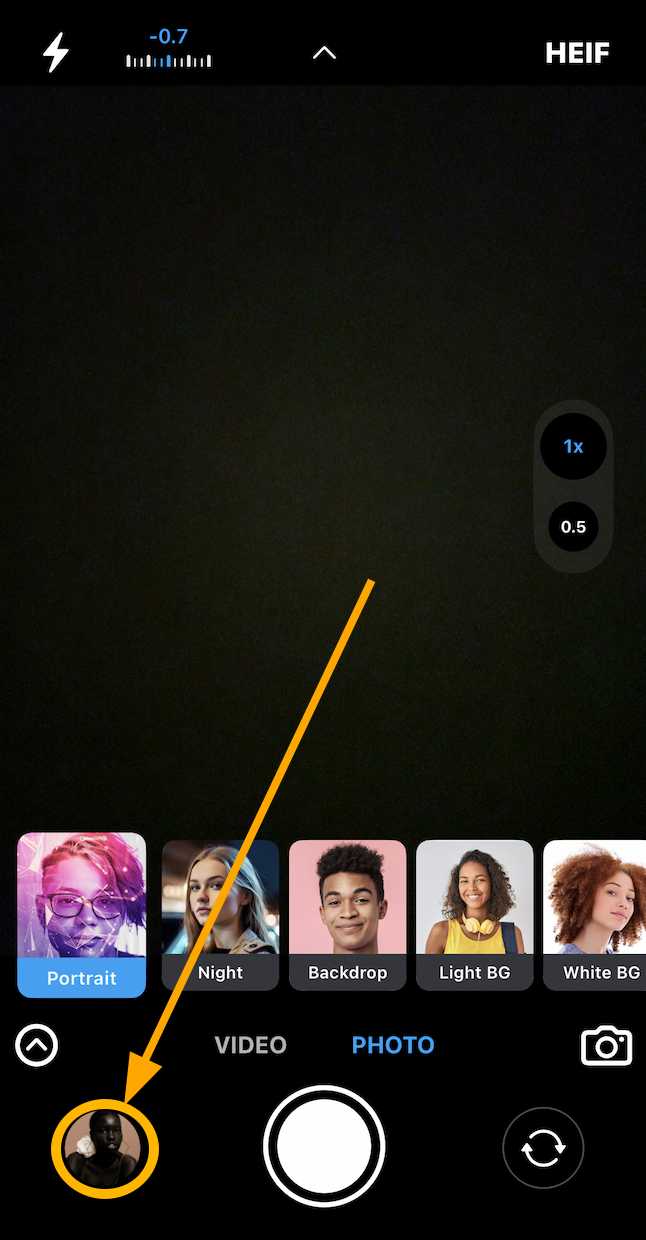
- Launch the app and tap the latest image in your camera roll (bottom left) to open the post-capture screen:
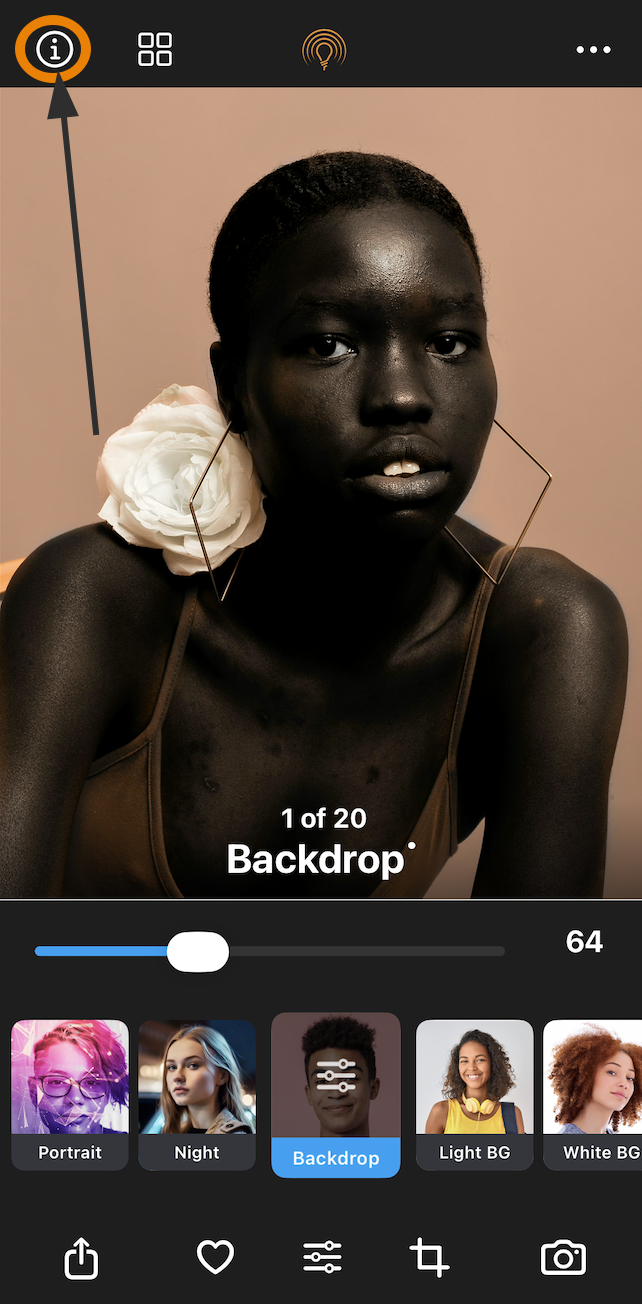
6. Tap the Information button (a little circle with an “i”):
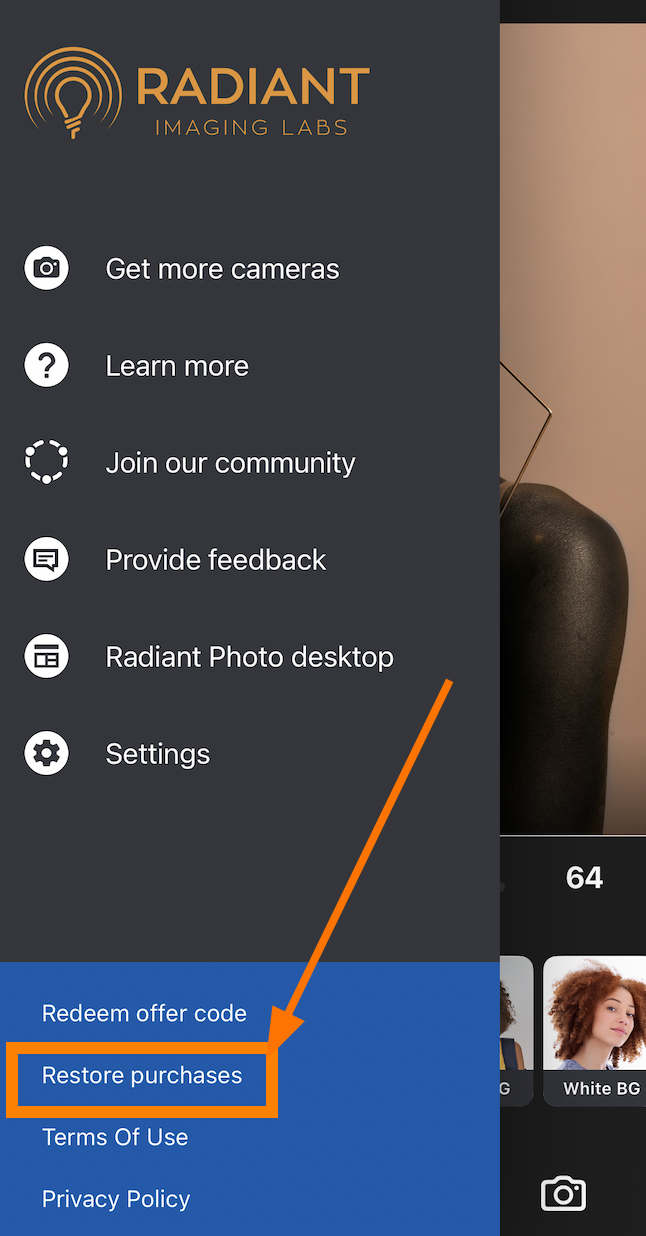
7. Scroll down and hit Restore Purchases—and voilà! All your upgrades are back, ready to go.
Now your new device is just as ready for a radiant adventure as your old one!
Це було корисно?