
Options, not verdicts
When a photo has several good crops or Looks, we show them. The one applied first is a starting point, and the alternatives stay one click away.
Assistive AI · Radiant Photo
Radiant’s AI studies each photo the way an experienced editor would, then hands you a starting point. Every choice after that is yours. We also build it in the open: you can see our roadmap and follow each feature from Exploring to Shipped.
What we mean by Assistive AI
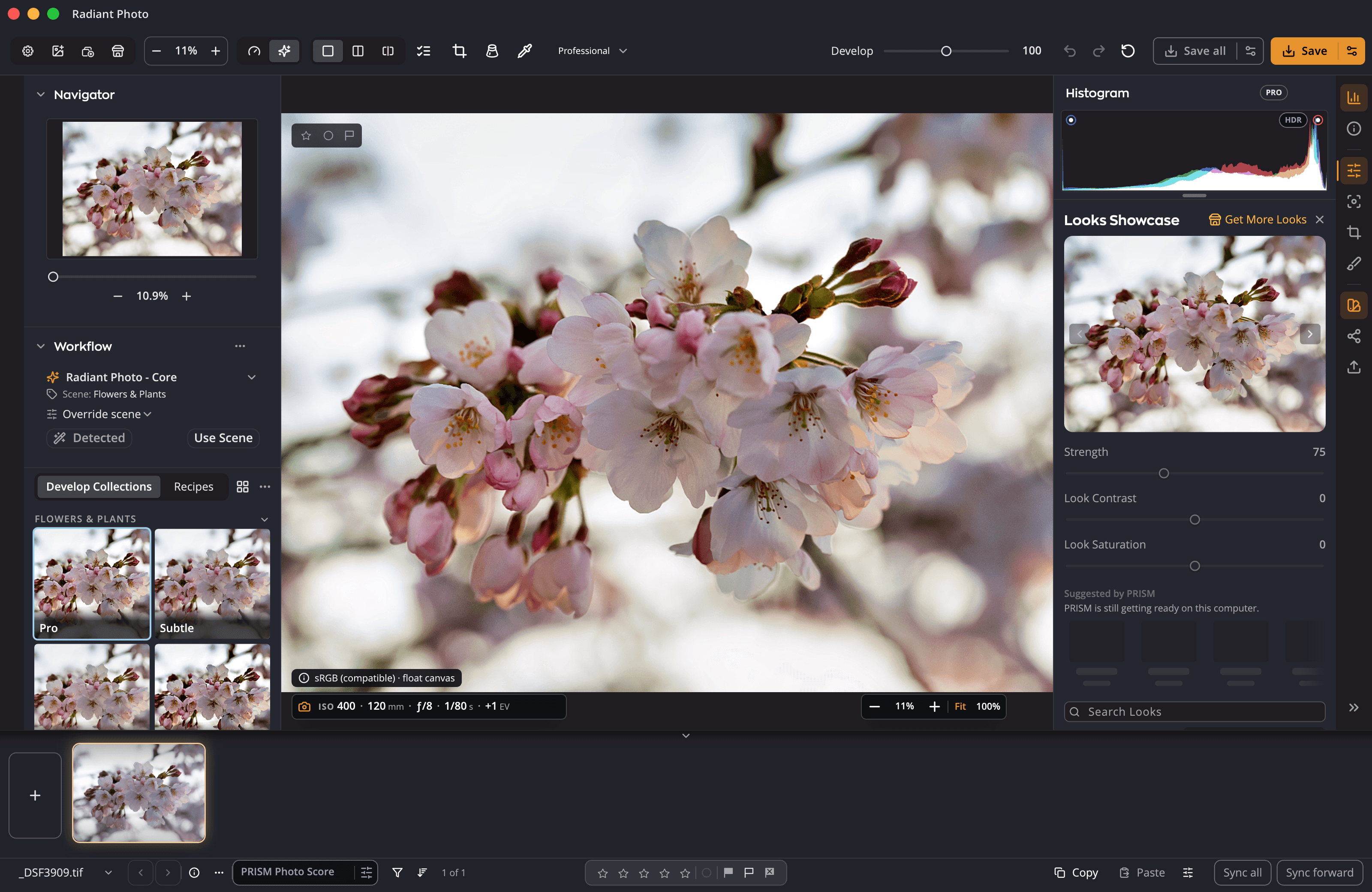
It recognizes the subject, the light and the skin tones in a photo, then proposes recipes, crops and Looks to match. Each suggestion arrives as an ordinary control you can keep, change or reset.
Scene detection identifies the subject, the setting and the lighting: a portrait in open shade, a cityscape at golden hour, a heron in flight.
The active Workflow picks recipes tuned for that scene and sets the sliders. When a photo has more than one good answer, such as a crop, you get the options.
Keep it, adjust it, or press Reset. The AI never locks a setting, and you can always see what it changed.
What it looks like
Open a photo and the AI names the scene, offers crops and sets the sliders. Keep a suggestion, move it or press Reset: each one is an ordinary control.
The rules it follows
When a photo has several good crops or Looks, we show them. The one applied first is a starting point, and the alternatives stay one click away.
Suggestions show up as slider positions and named recipes. You can read every one of them, and change any of them.
Edits are non-destructive, and your original file is never altered.
The analysis happens on your own machine. Your photos are not uploaded for the AI to look at them.
Radiant corrects the photo you took. Spot Removal heals from the pixels in your own photo; nothing is invented.
Portrait tools find each face to smooth skin, remove blemishes and shine, and light the face, each one adjustable. Nobody is identified.
Rapid innovation
Radiant changes faster than it used to, and we want that speed aimed at what photographers actually need. Every new feature goes through this cycle.
We publish what we are exploring, building and testing: Exploring, In the Lab, In beta, Shipped.
Our team designs and builds the top priorities, and posts designs and decisions as they firm up.
It ships to everyone, on Mac and Windows together. Each release updates the roadmap, and the cycle starts again.
Radiant Toolkit
Radiant Toolkit adds a store credit every month.
Toward any pack in the Store, applied automatically at checkout. No codes to type.
Questions
When you open a photo, the AI applies a suggested starting point. You can change or reset any part of it, the alternatives stay available, and your original file is never altered.
No. The AI runs on your machine.
No. The roadmap is open to everyone. Radiant Toolkit adds the $15 member credit every month.
Key benefits


Every recipe. One panel.
One press for a good framing. Every other one in view.
Frame it your way, with good framings to choose from.
Straighten the lines. See every way first.
Smooth the grain. Keep the edges.
Crisp detail, smooth backgrounds.
Straight lines, even corners, clean edges.
Read the light. Without looking away.
Brush over a spot. Radiant Photo picks the clean source.
Point at a Look. See it on your photo.

Design it once. Sign every output.
Done keeps your work. Export writes the files.
Every photo, understood. Right on your computer.
Every photo, scored. Every line, yours.
Many frames. One cover.
One workflow
Try Radiant Photo free. Open a photo and it already has a starting point; every slider is yours from there.


