Radiant Imaging Labs

Lens Corrections · Radiant Raw

Straight lines, even corners, clean edges.

Radiant Raw corrects lens distortion, vignetting and color fringes with profiles for 1,500+ lenses from the open lensfun database. It matches your lens from the photo’s EXIF, or you pick it by hand. Perspective straightens tilted photos and leaning buildings.

InRadiant Raw

  • 1,500+ lenses with profiles
  • Distortion, chromatic aberration, vignetting
  • Five sections, each with its own on/off
  • One question, asked once
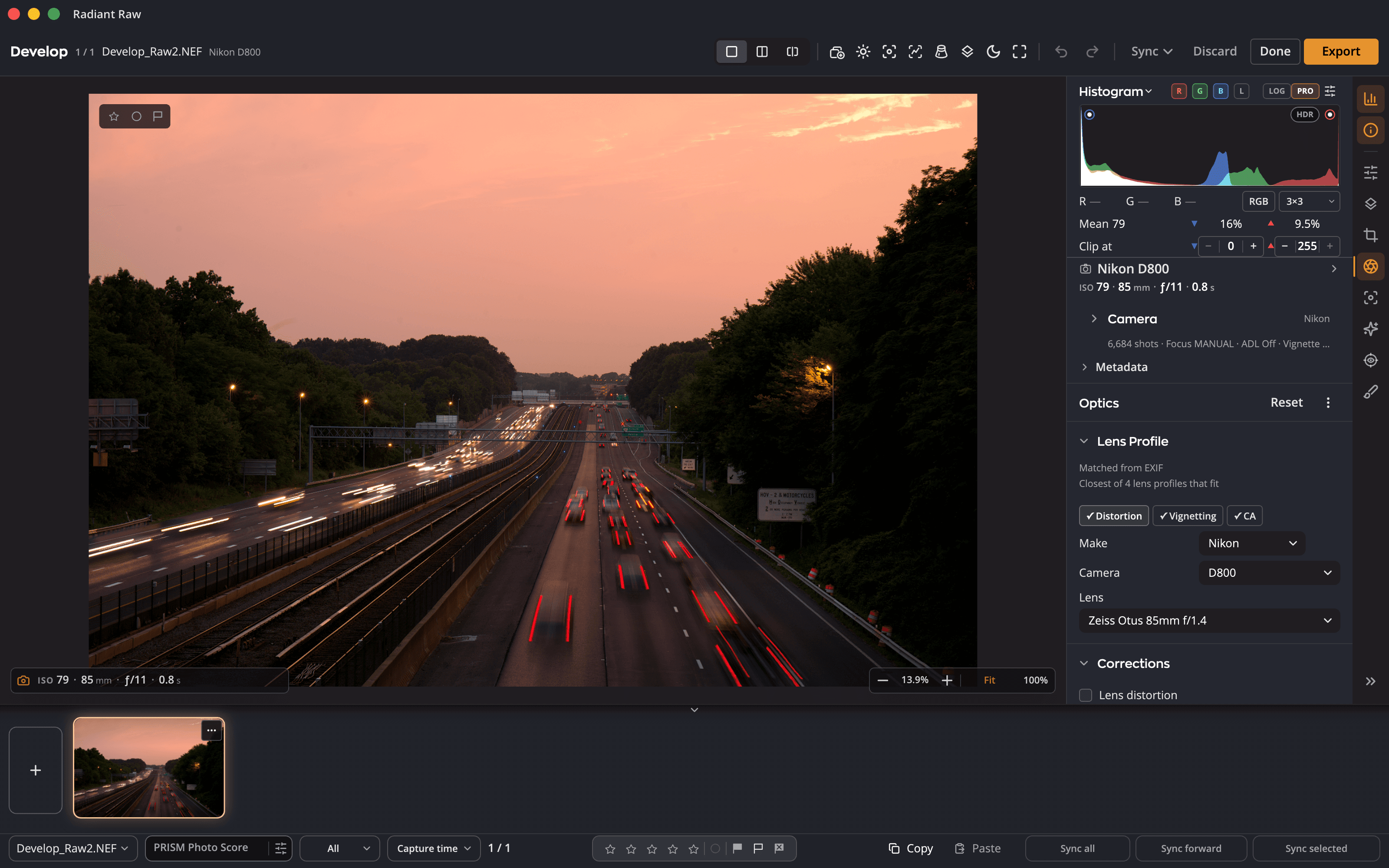
The Radiant Raw develop window on the Optics page: the lens matched from EXIF as the closest of 4 lens profiles that fit, and the chips showing what its profile corrects.

Try it here

Turn each correction on. Watch the lines and the corners.

Lens distortion straightens the lines a lens bends; the grid shows how far they were out. Vignetting lifts the corners a lens darkens, with Amount for strength and Midpoint to shape the falloff.

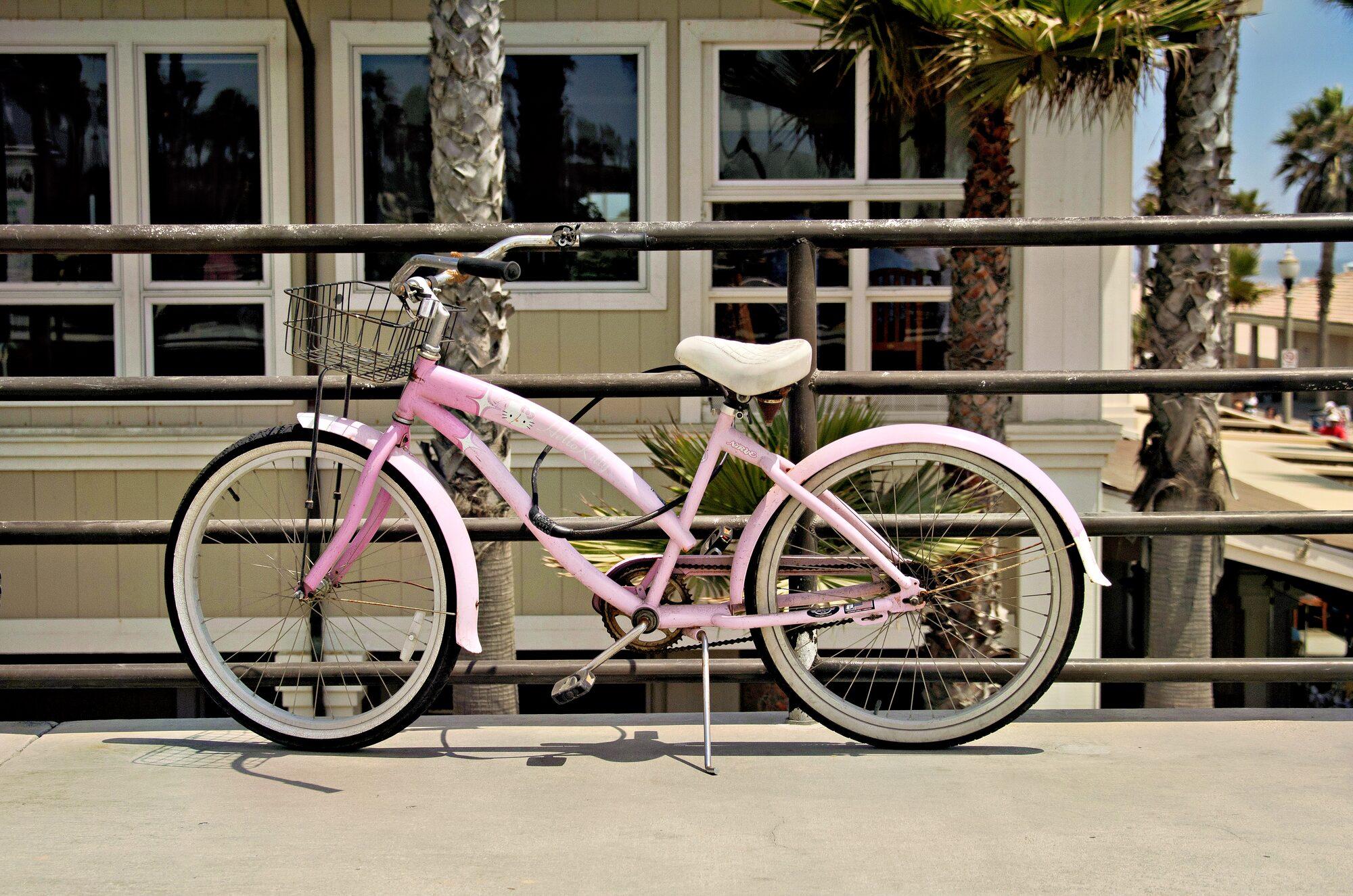
A pink cruiser against the railing.

A demo on this page. This photo was straight and even to begin with, so the page first bends it and darkens its corners the way a wide lens does. The grid is the page’s own. Radiant Raw corrects your photo from your lens’s own profile.

The Optics page

Your lens, recognized.

01

Lens Profile

Open a raw photo and Radiant Raw looks up your lens from its EXIF. A status line says how it matched; chips show what the profile corrects. If several profiles fit, it says so: the closest of them, or a tie for you to check. Or pick Make, Camera and Lens yourself.

02

Lens distortion

Straightens the lines your lens bends, using its profile. Amount sets how much.

03

Vignetting

Lifts the corners your lens darkens, with Amount for strength and Midpoint to shape the falloff.

04

Auto chromatic aberration and Defringe

One check box corrects chromatic aberration from the profile. Defringe takes out purple and green edges, with amount, hue and range, or click the picker and sample a fringe on the photo.

05

Perspective and Manual Transforms

Level a tilted photo from its lines, or straighten leaning verticals with Vertical. Or work by hand: Vertical, Horizontal, Rotate, Aspect, Scale, Offset X and Offset Y. Constrain crop trims the empty edges.

06

One shoot, many lenses

Copy, paste or sync your corrections across a shoot. Each photo keeps its own lens profile, so every frame is corrected for the lens that shot it.

What the profile corrects

Straight, even, clean.

Before After Distortion Color fringing Vignetting
A lens profile straightens distortion, removes color fringing and evens out vignetting, wherever the profile covers them.
Before After Auto Level Vertical Full Guided
Vertical turns converging verticals back into straight ones.

Lens profiles

Private by design.

Radiant Raw asks once, on the first raw file you open, before it downloads lens profiles. No account is needed, and nothing about you or your photos is sent. Profiles come only from lensfun.github.io, into one shared folder on this computer; the download is shared with Radiant Flow.

If you choose Download, Radiant Raw checks for new profiles about once a month, and Settings turns that off. The camera’s own corrections apply either way.

You stay in control

Turn each section on or off on its own, and reset one section or the whole page. Every change is one step to undo.

New to the Radiant family

Everything on Radiant Raw’s Optics page is new to the family.

Open a raw. The lens is already matched.

Lens profiles are © the lensfun contributors, lensfun.github.io, CC BY-SA 3.0.