
Coming from Radiant Photo 2
Radiant Photo 2.5 is a new app, and it can bring over everything you made in Radiant Photo 2. Your Radiant Photo 2 stays exactly as it is, so you can keep both while you settle in.
Bring over your settings and presets
The first time you open Radiant Photo 2.5 on a computer that has Radiant Photo 2, it offers to import. You can also import at any time:
- Choose File > Import from Radiant Photo 2…
- Look over the list. Nothing is copied until you click Import.
- Clear anything you don't want, then click Import.
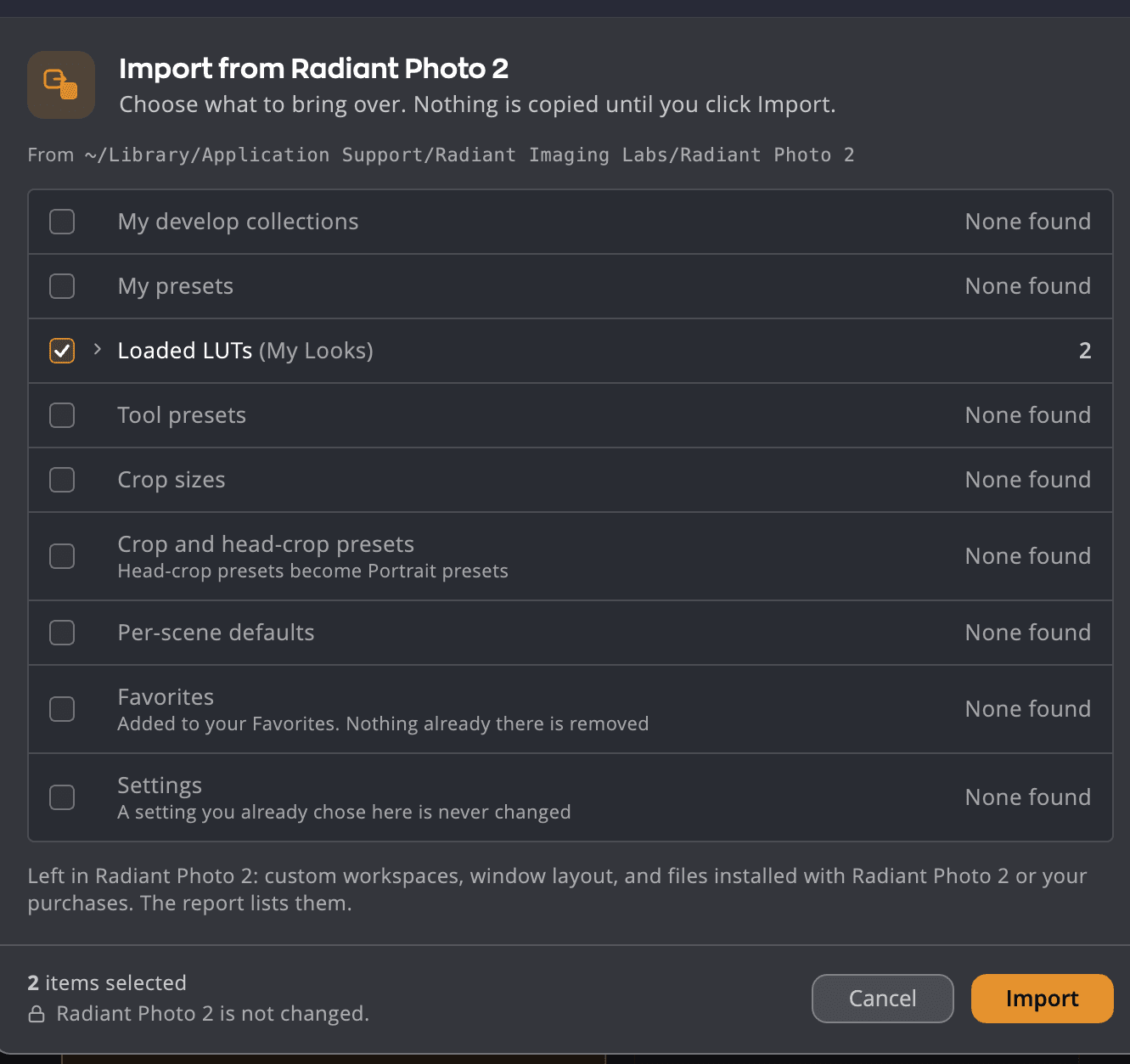
| What comes over | Notes |
|---|---|
| My develop collections | Your own Develop Settings, now recipes in their collections |
| My recipes | Your own presets, now recipes on the Recipes tab |
| Loaded LUTs | Lookup tables you loaded as Looks |
| Tool presets | Presets you saved in individual tools |
| Crop sizes and Crop and head-crop presets | Head-crop presets become Portrait presets |
| Per-scene defaults | The recipe you chose for each scene |
| Favorites | Added to your Favorites. Nothing already there is removed. |
| Settings | A setting you already chose in 2.5 is never changed |
Tip
Quit Radiant Photo 2 before you import, so Radiant Photo 2.5 reads its latest settings.
Run the import again later, and only what's new is offered. To see what came over, choose Show report in Settings > General > Coming from Radiant Photo 2. You can also Undo last import… there.
Your keycode
Radiant Photo 2.5 uses a new kind of keycode. If you enter your Radiant Photo 2 keycode, Radiant Photo finds your purchase by email instead. See Activating Radiant Photo.
What changed
- No more Radiant Manager. Activation, updates and purchases are now inside Radiant Photo.
- Presets and Develop Settings are now recipes. Both kinds of saved settings have one name in Radiant Photo 2.5. See Recipes.
- Raw developing moved to Radiant Raw. Radiant Photo still opens raw files as shot or with one of its built-in recipes, without Radiant Raw. For full developing it hands them to Radiant Raw, which needs its own activation. See Raw files and Radiant Raw.
- Browsing and culling moved to Radiant Flow, a separate free app. See Browsing with Radiant Flow.