
Saving develop settings beside your photos
Radiant Photo saves your edit settings in a small file beside each photo. Close a photo, reopen it next week, and every slider is where you left it. The original photo is never changed.
You can start editing on a memory card and finish later on your computer. The settings file travels with the photo when you copy them together.
How it works
When you move to another photo in the filmstrip, or close a photo, Radiant Photo saves its settings beside it. When you open a photo that has a settings file, Radiant Photo applies those settings instead of a new recipe.
Saving a photo with Save or Export always writes the settings file too, whatever the switches below say.
Settings files from Radiant Photo 2 (.radiant) open in Radiant Photo 2.5 as they are. Nothing on disk changes
until you save.
Choose what's saved
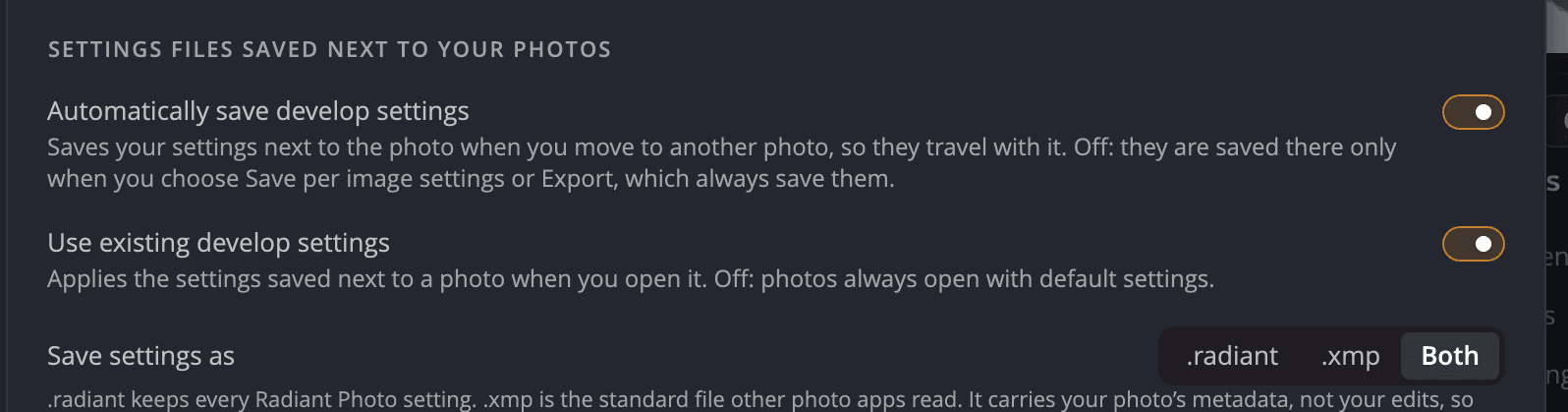
Open Settings > Sidecars. The top section is Settings files saved next to your photos, and Save to follows it.
| # | Setting | Default | What it does |
|---|---|---|---|
| 1 | Automatically save develop settings | On | Saves your settings beside the photo when you move to another photo. Off: they're saved only when you choose Save per image settings, Save or Export. |
| 2 | Use existing develop settings | On | Applies the settings saved beside a photo when you open it. Off: photos always open with default settings. |
| 3 | Save to | All three checked | Where a save beside the photo writes: Sidecar (.xmp), Sidecar (.radiant) and Inside the photo. At least one stays checked. |
Where your edits and metadata go
- Sidecar (.radiant) keeps every Radiant Photo setting. Only Radiant apps read it.
- Sidecar (.xmp) is the standard file other photo apps read. It carries your photo's metadata, such as ratings, keywords and copyright, and your Radiant Photo edits in a field only Radiant apps read.
- Inside the photo writes the metadata into DNG, JPEG, TIFF and other files that can hold it. Edits never go inside a photo.
All three are checked by default, the safest choice. The notes under the boxes say what happens in each case:
- With only .radiant checked, stars, labels, keywords and IPTC go to an .xmp sidecar.
- With no sidecar checked, edits from Radiant Photo and Radiant Raw are saved to .radiant and .xmp.
- Raw files can't hold metadata, so they always get an .xmp sidecar.
- For photos signed with Content Credentials, metadata always goes to a sidecar file, so the signature stays valid.
Important
Copy or move the sidecar files with their photo. Without them, the photo opens with the recipe for its scene.
Save or clear the settings for one photo
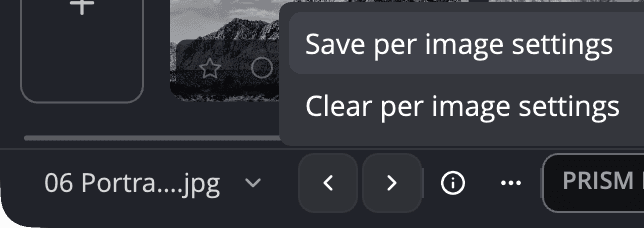
Click ⋯ in the bottom bar (its tooltip is Per image settings):
- Save per image settings saves the current photo's settings now. Use it mid-edit, or when automatic saving is off.
- Clear per image settings removes the saved edit settings from beside the photo. The photo then reopens without them, and you can't undo it.
To start a photo over without touching the file, choose Edit > Reset All.
Export a develop sidecar for a raw file
File > Export Develop Sidecar (.xmp)… saves the raw development settings of the raw file on screen as a
standalone .xmp file. Other apps that read these settings can use it. The command works only for raw files. The Share page
describes it as Develop settings only — no pixels, so no watermark and no metadata.
If the raw file has no develop settings yet, Radiant Photo says This Raw has no develop settings to export yet.
What lives where
| What | Where |
|---|---|
| Your Radiant Photo edit | .radiant and .xmp files beside the photo, as Save to sets; .radiant only for a JPEG beside a raw file of the same name |
| Ratings, flags, labels, keywords, copyright | An .xmp file beside the photo, inside a JPEG, TIFF or DNG, or both, as Save to sets; an .xmp for a raw, HEIC, AVIF or JPEG XL photo. With Inside the photo checked and Sidecar (.xmp) unchecked, the keywords and copyright of a HEIC, AVIF, JPEG XL or PSD photo with no .xmp stay in Radiant Photo's own copy; see IPTC metadata and copyright |
| Raw development settings | Beside the raw file, read by Radiant Raw and Radiant Photo |