
Grid view and sorting
Grid view shows all your open photos at once, so you can compare a set, select several photos and jump to the one you want. Sorting sets the order of the filmstrip and the grid. Turn on Grid with View > Grid; sort from the bottom bar.
| What | What it means |
|---|---|
| Orange ring | The current photo. |
| White ring | Another selected photo. |
| Marks | Rating, flag and color label, as on the filmstrip. |
| Sort button | Opens the Sort order menu. |
Use Grid view
- Press ⌘G (Ctrl+G on Windows), or choose View > Grid.
- Click a photo to open it in the editor.
- To stay in the grid while you select, ⌘-click (Ctrl-click) to add or remove a photo, or ⇧-click to select a run of photos.
- Press ⌘G again to go back to the single-photo view.
From the keyboard, the arrow keys move from photo to photo in reading order, and Return opens the current photo.
Each cell shows the photo's marks. A cell can also show the PRISM Photo Score and an HDR mark for an HDR photo. A chip shows when the photo was edited in Radiant Raw.
A small closed-eye mark at the photo's lower left means the main person in it has their eyes closed. Hold the pointer over it to read Eyes closed. The mark comes from the photo's PRISM score, so a photo Radiant Flow hasn't scored shows none. It never rates or rejects a photo.
Tip
Select photos in the grid, then use Sync selected in the bottom bar to give them all the same settings. See Copying and syncing settings.
When Selects is on, the grid shows only the photos in your Selects. If none match, it says No photos match followed by the filter. Click Show all photos to see everything again. See Reviewing photos.
Sort your photos
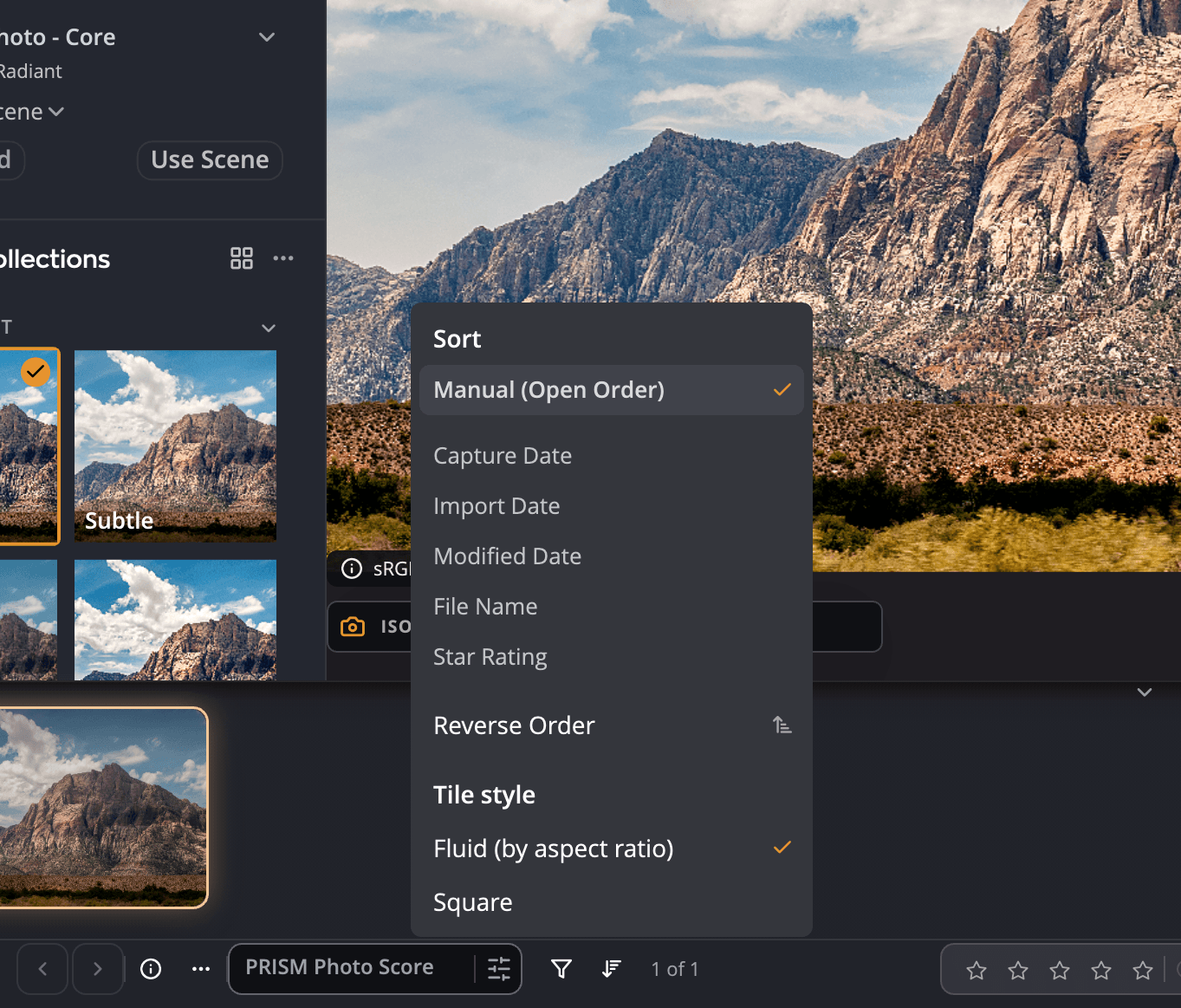
Click the sort button in the bottom bar to open Sort order.
| Choice | Order |
|---|---|
| Manual (Open Order) | The order you opened the photos in. New photos are added at the end. |
| Capture Date | When each photo was taken. |
| Import Date | When each file arrived on your computer. |
| Modified Date | When each file last changed. |
| File Name | Alphabetical by name. |
| Star Rating | By rating. |
| Reverse Order | Flips the current order. |
Your sort choice is remembered. Photos you open later are placed into the sorted order, and Radiant Photo keeps the choice the next time you start it.
Manual (Open Order) stops sorting new photos. It doesn't put back the order you had before you sorted.
Tile style
The same menu sets how filmstrip thumbnails are drawn:
| Tile style | Appearance |
|---|---|
| Fluid (by aspect ratio) | Each thumbnail keeps its photo's shape. |
| Square | Every thumbnail is the same square. |
The choice is shared with Radiant Raw.