
Welcome to Radiant Photo 2.5
Radiant Photo helps you finish your photos with less effort. It's built by photographers who know how much work it takes to get a photo just right. We want that work to be quicker and more fun.
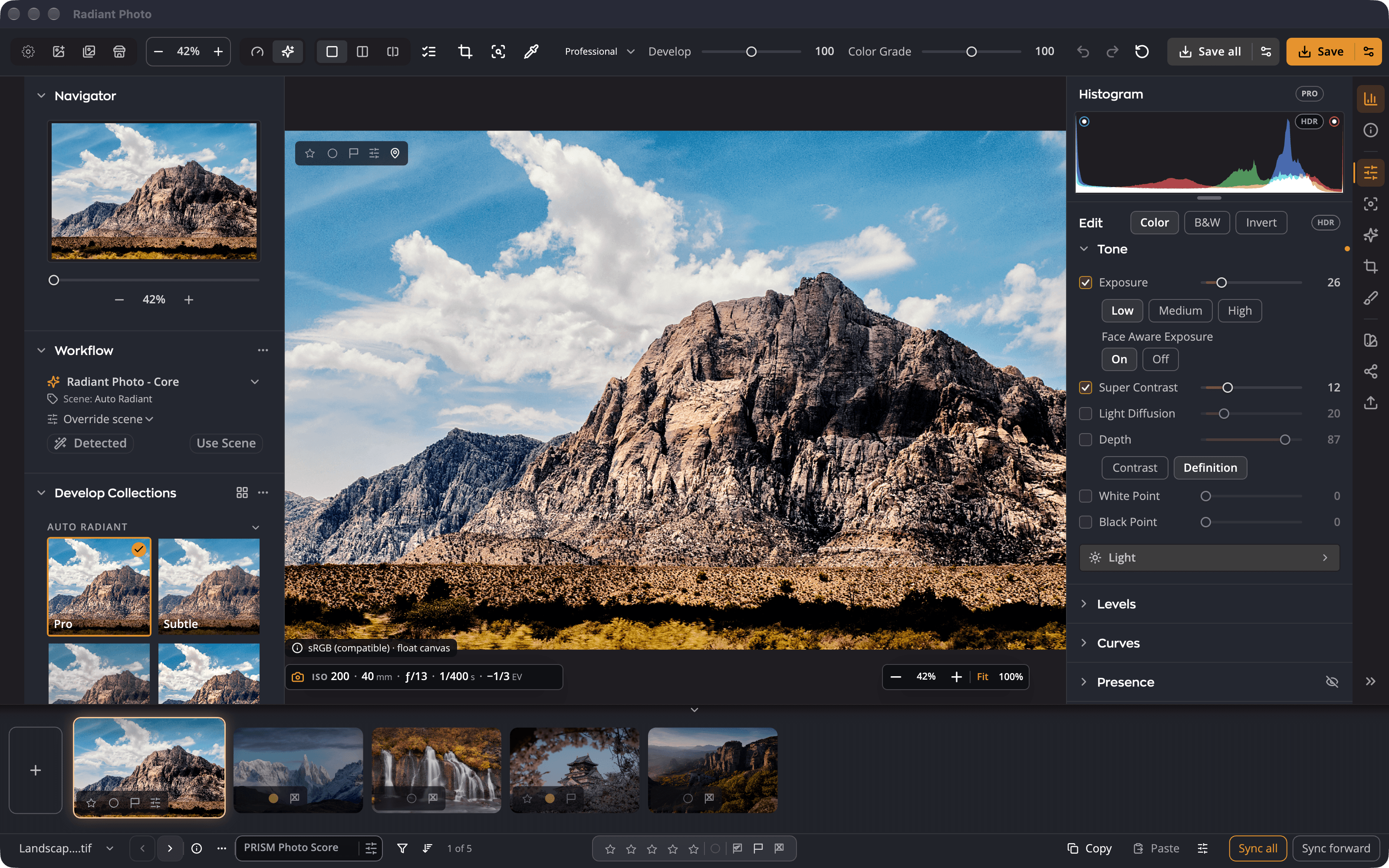
Take the tour
For a two-minute walk around the window, open a photo, then choose Help > Take a Tour. Each stop rings one control and says what it's for. Click the control to try it, or move on with Next step.
Radiant Photo offers the tour once, at a quiet moment while a photo is open in the editor, in a small note that doesn't block anything: New to Radiant Photo? The Welcome tour shows you around in about 2 minutes. Take the Tour starts it. Not Now closes the offer for good, and so does leaving the note until it fades; the tour stays in the Help menu. If you've already taken the tour, it isn't offered.
To see every tour and how far you got, choose Help > All Tours. A tour you stopped part-way offers Continue and picks up at the same stop.
The tour stops at:
- Develop, the strength of the automatic correction.
- Before/After and Edited Only, which compare your edit with the original.
- Recipes, saved sets of adjustments.
- Smart Editing, one of the tool groups.
- Looks showcase, creative color styles.
- Share, where finished copies go.
- Info, the photo's file details.
A starting point for every photo
When you open a photo, Radiant Photo looks at it, recognizes the kind of scene, and applies a recipe made for that scene. A portrait gets different care from a sunset or a plate of food. You start from a finished-looking photo instead of a blank one.
The starting point is yours to change. The Develop slider at the top of the window makes the whole correction stronger or gentler. Every tool underneath stays open for you to adjust, and you can save your changes as your own recipe for next time.
Tone and color, separately
Radiant Photo keeps light and color in separate tools. You can brighten shadows or recover highlights without shifting colors, and you can correct a color cast without changing contrast. Looks, in the Color Grading panel, add a creative color style on top of the correction.
Your originals stay safe
Radiant Photo never changes the image in your original file. Your edits are saved as small settings files beside your photos, so you can come back and change them at any time. When you're ready, save a finished JPEG, TIFF or PNG, one photo at a time or a whole shoot at once.
Note
Radiant Photo refuses to save over the original photo. If a save would replace it, you're asked to change the name, the folder or how existing files are handled.
Three apps that work together
| App | What it does |
|---|---|
| Radiant Flow | Browses your folders so you can rate, filter and pick your best photos before you edit. A separate, free app that installs with Radiant Photo. |
| Radiant Raw | Develops raw files before they reach Radiant Photo. A separate app. |
| Radiant Photo | Finishes your photos: tone, color, portraits, Looks, cropping and saving. |
You don't need the other two apps to use Radiant Photo. They add browsing, culling and raw development when you want them.
Try it free
The free trial lasts 30 days, includes every feature and needs no credit card. See Activating Radiant Photo to start it or to enter your keycode.