
Activating Radiant Photo
The first time you open Radiant Photo, it asks which of two people you are: new to Radiant Photo, or already an owner. Activation takes a minute, and you don't need a separate app to do it.
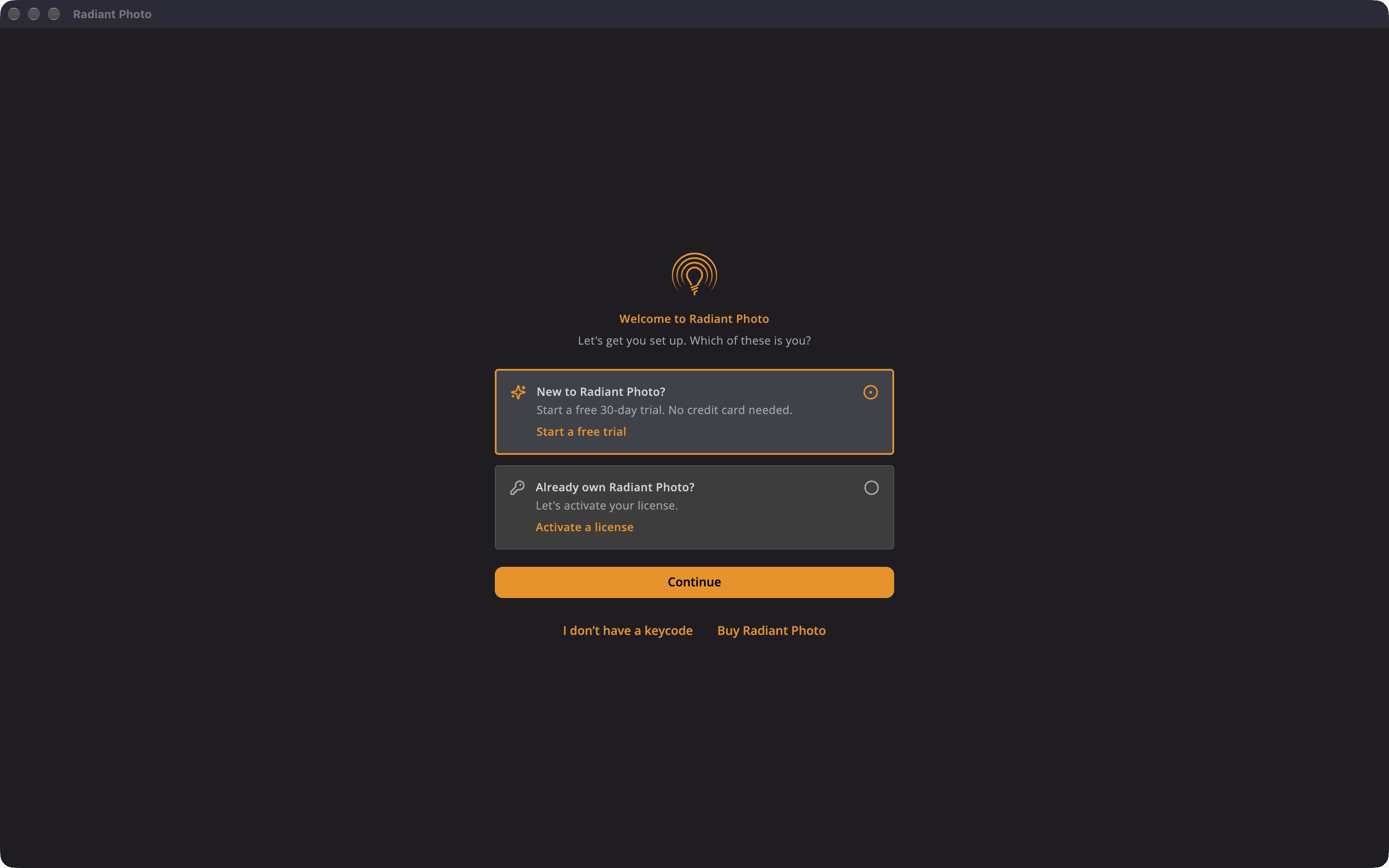
Start a free trial
The trial gives you 30 days and every feature, with no credit card needed.
- In the Welcome to Radiant Photo window, choose New to Radiant Photo? and click Continue.
- Enter your email address.
- Click Start Free Trial.
While you're on the trial, a strip in the window shows how many days are left. When you're ready to buy, click Buy on the strip and pick a plan.
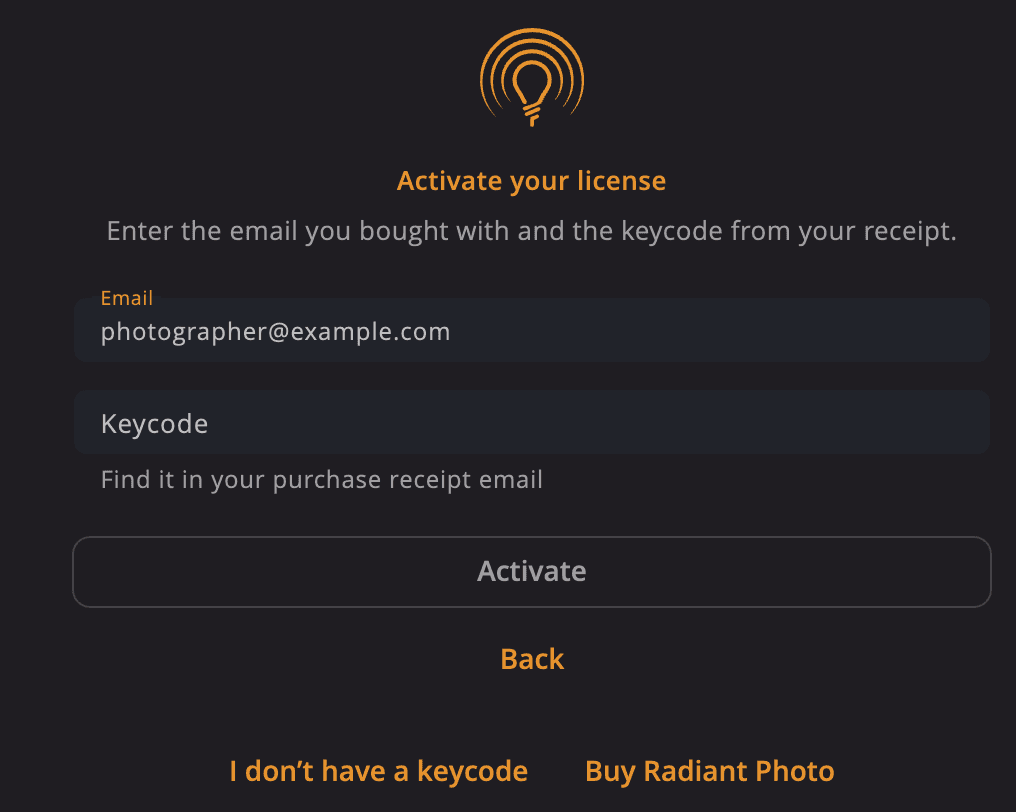
Activate your license
You need the email address you bought with and the keycode from your receipt email. Keycodes look like RP4-XXXX-XXXX-XXXX-XXXX.
- In the Welcome to Radiant Photo window, choose Already own Radiant Photo? and click Continue.
- Enter your Email and Keycode.
- Click Activate.
Tip
Can't find your keycode? Click I don't have a keycode. Enter the email you bought with, and we'll send you a code to restore your purchase.
Note
A Radiant Photo 2 keycode doesn't activate Radiant Photo 2.5. If you enter one, Radiant Photo recognizes it and offers to find your purchase by email instead.
Choose a plan
When you click Buy or Buy Radiant Photo, you choose one of three plans.
| Plan | What you get |
|---|---|
| Perpetual | A one-time purchase that's yours to keep. Looks and collections from the Store aren't included. |
| App Subscription | A recurring app license. Looks and collections from the Store aren't included. |
| All-Access Subscription | Radiant Photo, Radiant Raw and Radiant Flow, plus all add-ons, rented for as long as you subscribe. |
After you pay, Radiant Photo picks up your new keycode on its own. If it doesn't, click I've got my keycode to close the checkout. If you bought from the welcome window, then follow the steps under Activate your license, above, with the keycode from your receipt email.
Staying activated
Your license is checked on your computer, so Radiant Photo works offline. It needs to reach our server now and then to stay unlocked. If it hasn't for a while, you'll see a message like Connect to the internet within 5 days to keep Radiant Photo unlocked — your license stays yours.
If activation doesn't work
| You see | What to do |
|---|---|
| That keycode doesn't check out — one character is off. | Compare the keycode with your receipt. Keycodes never use the letters I, L, O or U. An I or L counts as the digit 1, and an O as 0. |
| That keycode wasn't recognized. | Check for typos, and make sure the email is the one you bought with. |
| All seats for this keycode are in use. | Deactivate a computer you no longer use. See Moving to a new computer. |
| A free trial has already been used for this account. | Buy Radiant Photo, or activate with a keycode. |
| The license for this keycode has expired. | Renew your subscription, or enter a new keycode. |
| This purchase was refunded | Your license can't be used after a refund. The money can take 1 to 5 days to reach your account. If Manage Purchases shows, click it to see your orders. To keep using Radiant Photo, buy it again. |
| Couldn't reach the activation server — check your connection. | Check your internet connection and firewall, then try again. |
Still stuck? Click Contact support in the activation window.