
Effects
Effects adds two finishing touches: a vignette that darkens or lightens the edges of the frame, and film grain. You'll find them in the Effects panel, the last panel on the Adjustments page.
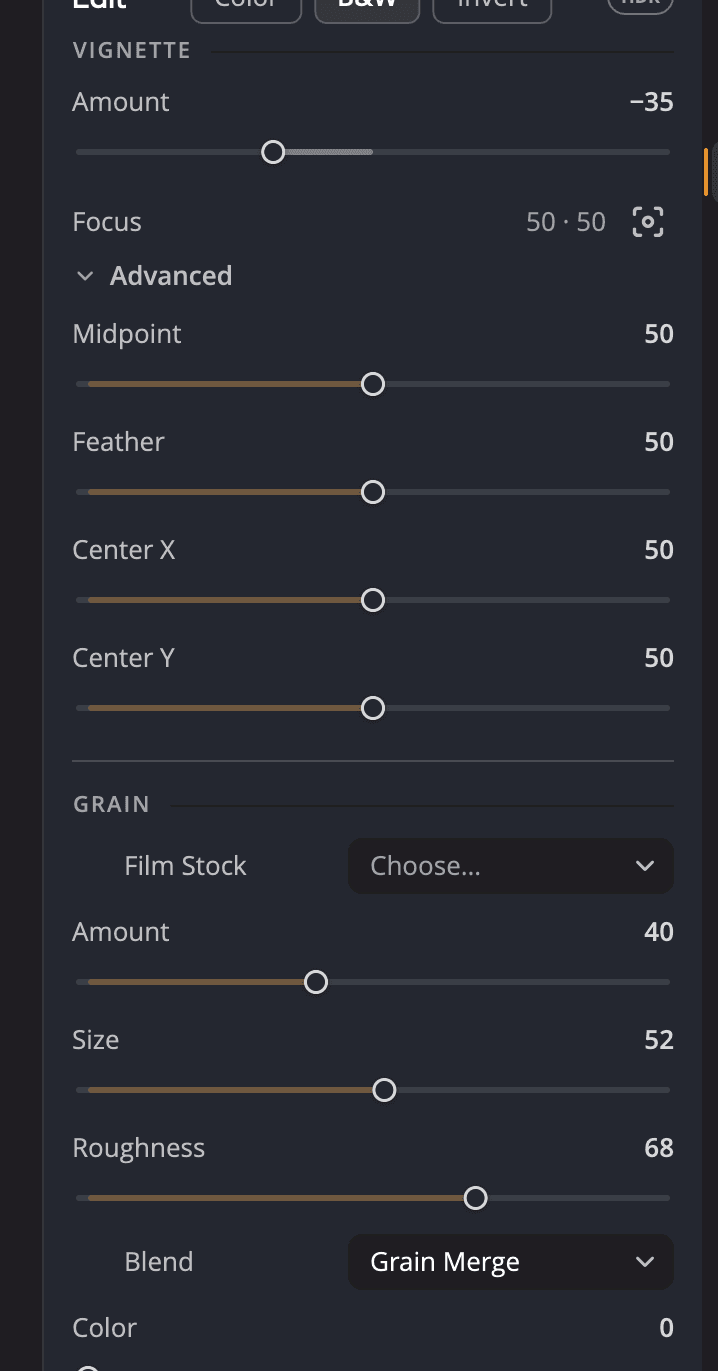
| # | Control | What it does |
|---|---|---|
| 1 | Vignette Amount | How much the edges darken or lighten. |
| 2 | Focus and its crosshair | Where the vignette is centered. Click the crosshair, then click the photo. |
| 3 | Advanced | Shape controls for the vignette. |
| 4 | Film Stock | Ready-made grain characters. |
| 5 | Grain sliders | Fine-tune the grain. |
| 6 | Blend | How the grain mixes into the photo. |
Vignette
A vignette draws the eye toward the middle of the frame. Move Amount (−100 to +100, default 0) away from 0 to turn it on. One direction darkens the edges, the other lightens them.
The vignette doesn't have to be centered. To move it onto your subject:
- Click the crosshair beside Focus (Set the vignette focus on the image).
- Click the photo where the vignette should be centered.
The Focus line shows the position as two numbers, across and up.
Click Advanced to shape the vignette:
| Control | Range (default) | What it does |
|---|---|---|
| Midpoint | 0 to 100 (50) | How far from the center the vignette starts. |
| Feather | 0 to 100 (50) | How gradually it fades in. |
| Center X | 0 to 100 (50) | The center's position across the photo. |
| Center Y | 0 to 100 (50) | The center's position up the photo. |
Grain
Grain adds the texture of film. It can make a digital photo feel less clinical, hide banding in smooth skies, or give black-and-white photos a classic look.
Start from a film stock
Click Film Stock (it reads Choose…) and pick one. A stock sets all the grain sliders in one step, which you can undo. Then fine-tune with the sliders.
| Stocks | Character |
|---|---|
| Subtle, Medium, Heavy | General-purpose grain in three strengths. |
| Kodak Tri-X 400, Kodak T-Max 400, Ilford HP5 400, Ilford Delta 3200, Ilford Pan F 50 | Black-and-white film characters, from fine to gritty. |
| Kodak Portra 400, Kodak Portra 800, Kodak Gold 200, Cinestill 800T, Fuji Velvia 50, Fuji Provia 100F | Color film characters, with some color in the grain. |
Fine-tune the grain
| Control | Range (default) | What it does |
|---|---|---|
| Amount | 0 to 100 (0) | How strong the grain is. Moving it above 0 turns grain on. |
| Size | 0 to 100 (50) | The size of each grain. |
| Roughness | 0 to 100 (50) | How irregular the grain is. |
| Blend | menu (Soft Light) | How the grain mixes into the photo. |
| Color | 0 to 100 (0) | 0 gives monochrome grain. Higher values add color grain. |
| Tone | −100 to +100 (0) | Moves the grain toward the shadows or the highlights. |
Blend offers Soft Light (filmic, the default), Grain Merge (neutral), Overlay (punchy), Hard Light (graphic), Linear Light (harsh), Vivid Light (saturated) and Additive (legacy).
Tip
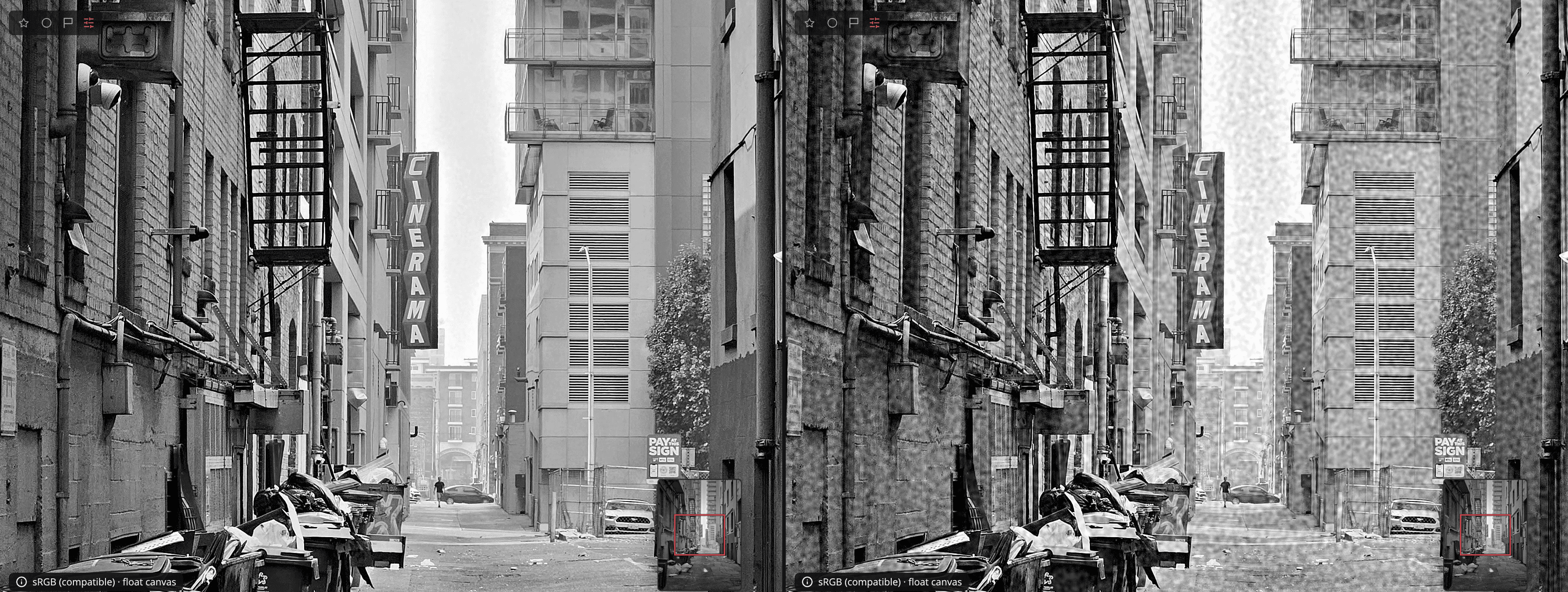
Judge grain at 100%. With the Magnifier open, dragging a grain slider shows the grain at full size in the lens, and the lens names the slider you're moving.
Turn it off or start over
Click the eye in the panel header to turn Effects off and on. Click Reset Effects (the arrow in the header) to clear both the vignette and the grain.